3Minutes Taxi
A ride-hailing taxi app operating in Saudi Arabia connecting passengers with professional drivers. Features real-time GPS tracking, multiple service tiers (daily commute, family transport, business VIP, delivery), fixed pricing with no surge charges, and multiple payment options. Trusted by over 50,000 customers.
Key Highlights
Real-time ride booking with GPS driver tracking and optimal route navigation
Multiple service tiers: daily commutes, family transport, business VIP, and passenger delivery
Fixed pricing without surge charges during peak hours
Multiple payment options: bank cards, e-wallets, and cash
Driver rating and selection system for passenger safety
Captain (driver) portal with flexible work hours, income calculator, and earnings withdrawal
Trip history tracking and monthly financial rewards for drivers
24/7 customer support and comprehensive driver vetting system
Custom UI widgets and rich animations throughout the app
Available on both Google Play Store and Apple App Store
App Walkthrough — 24 Screens
Splash & Onboarding
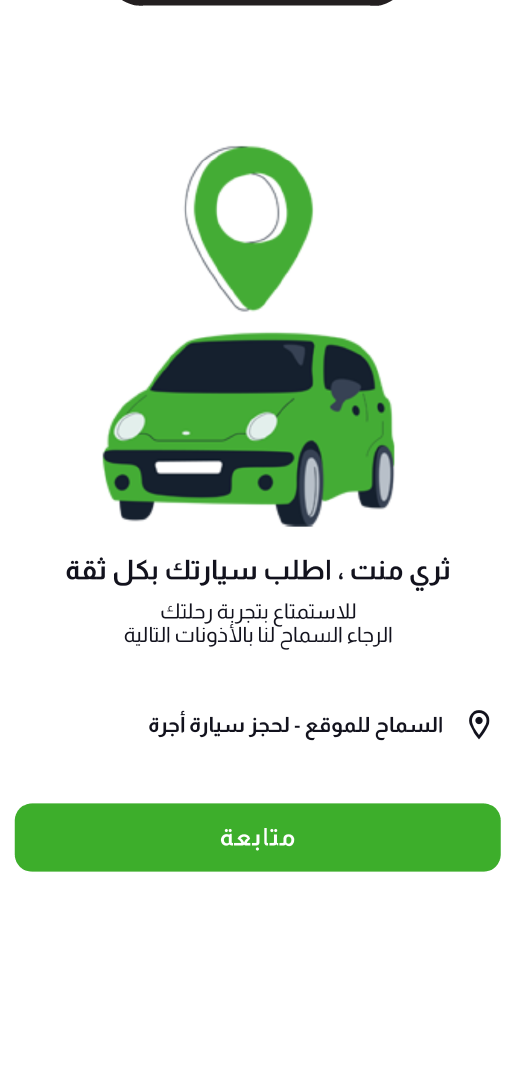
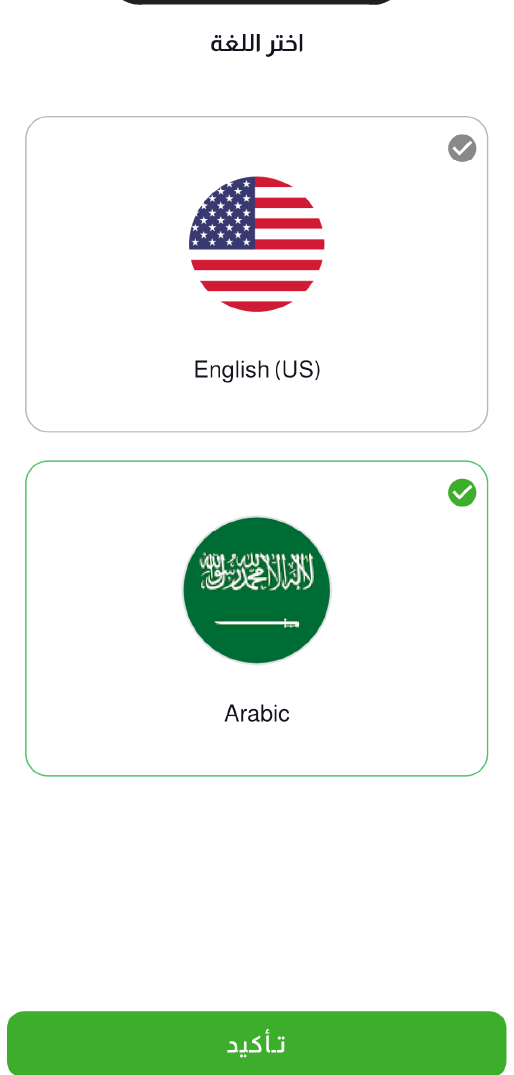
The app opens with the 3Minute branded splash screen featuring the bilingual logo (Arabic/English). An onboarding screen introduces the service — “Order your car with confidence” — requesting location permission. A language selector supports English (US) and Arabic for a fully localized RTL/LTR experience.

Splash Screen
Onboarding & Permissions
Language Selection
| # | Screen |
|---|---|
| 1 | Splash Screen |
| 2 | Onboarding & Permissions |
| 3 | Language Selection |
Authentication
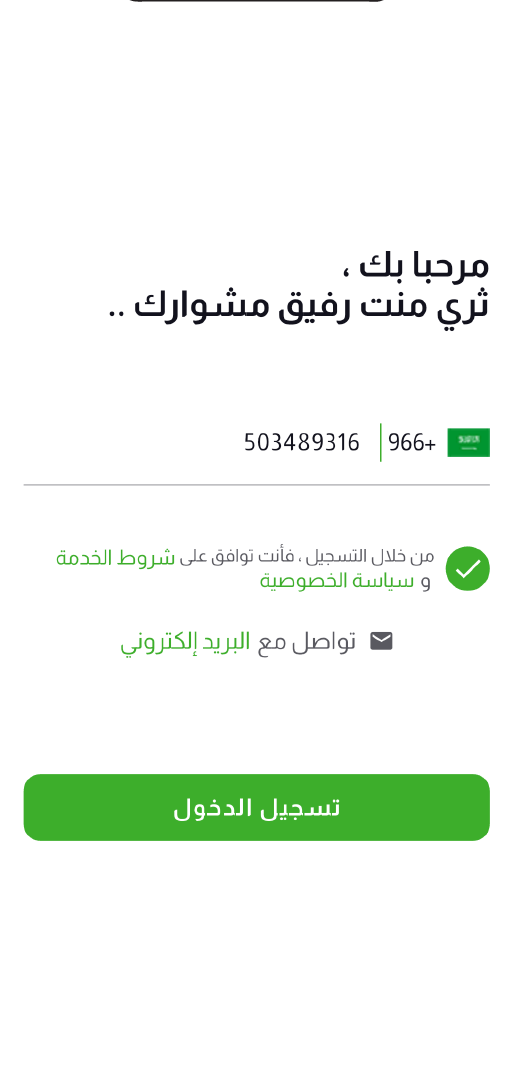
Users sign in with their Saudi phone number (+966) and agree to terms of service and privacy policy. A 4-digit OTP is sent to the phone for secure verification. The clean, minimal auth flow gets users into the app in seconds.
Phone Login
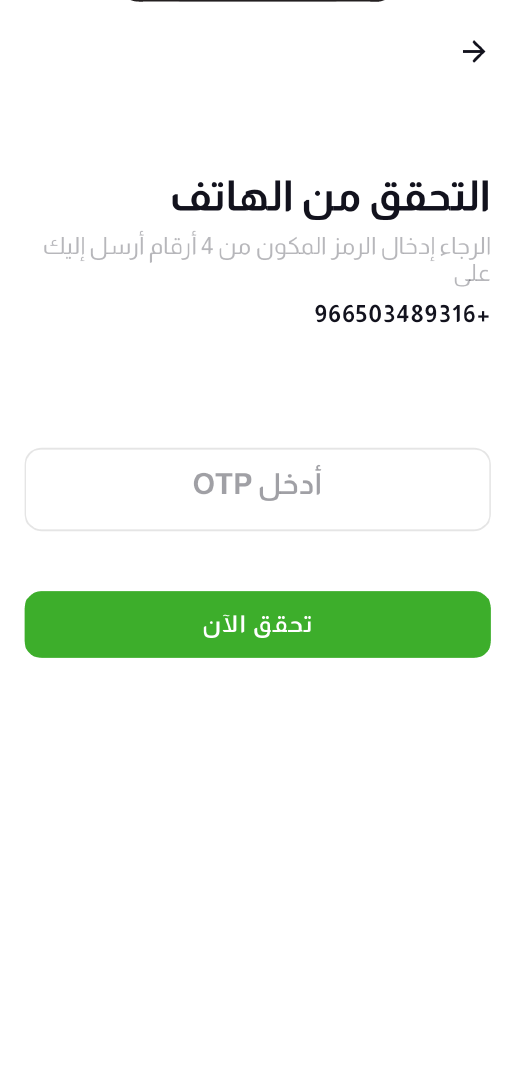
OTP Verification
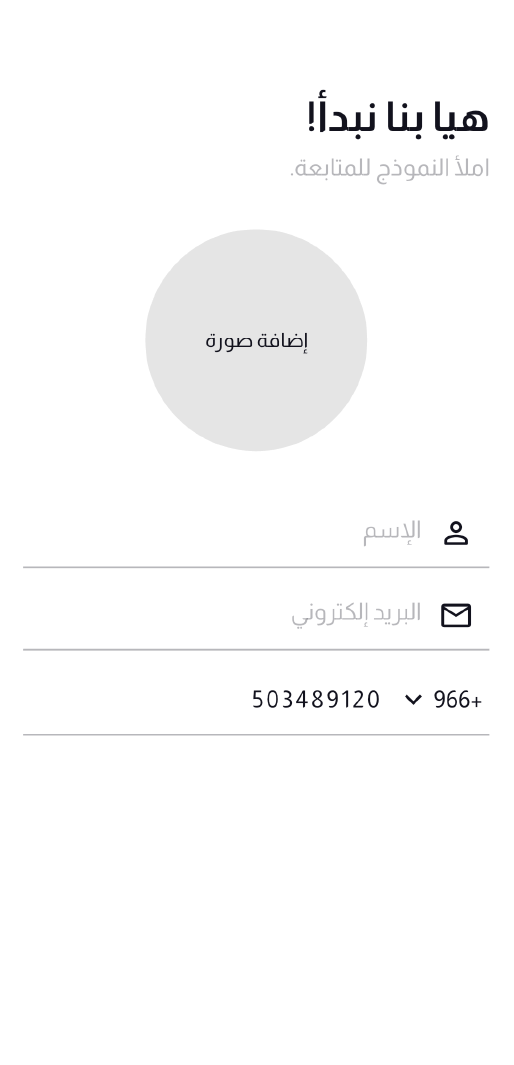
Registration Form
| # | Screen |
|---|---|
| 1 | Phone Login |
| 2 | OTP Verification |
| 3 | Registration Form |
Home & Destination
The home screen shows a live Google Maps view centered on the user’s location in Riyadh with a personalized greeting. Users enter their destination or pick from saved/recent locations (Work, Home, School). The map updates in real-time with route pins as users search and confirm their destination.
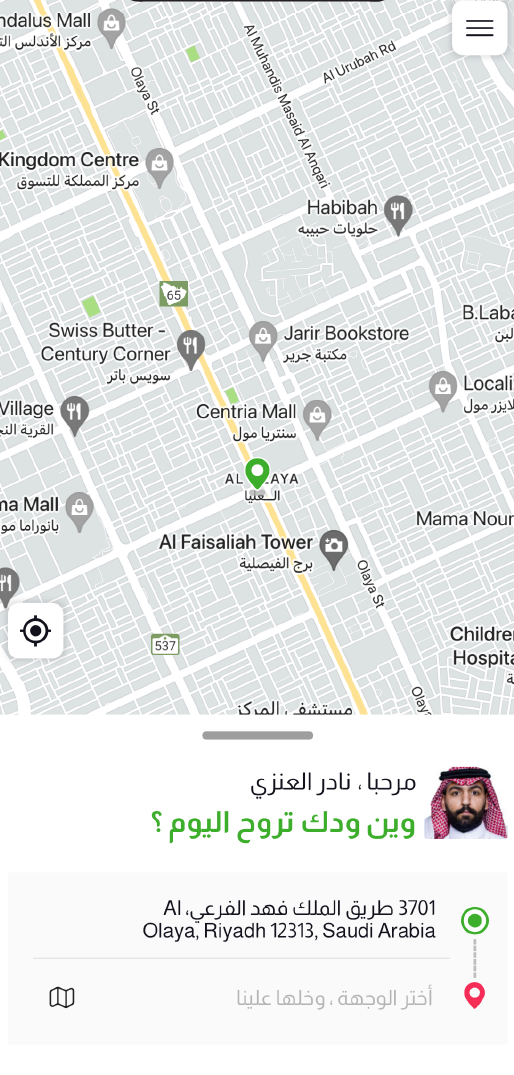
Home Map
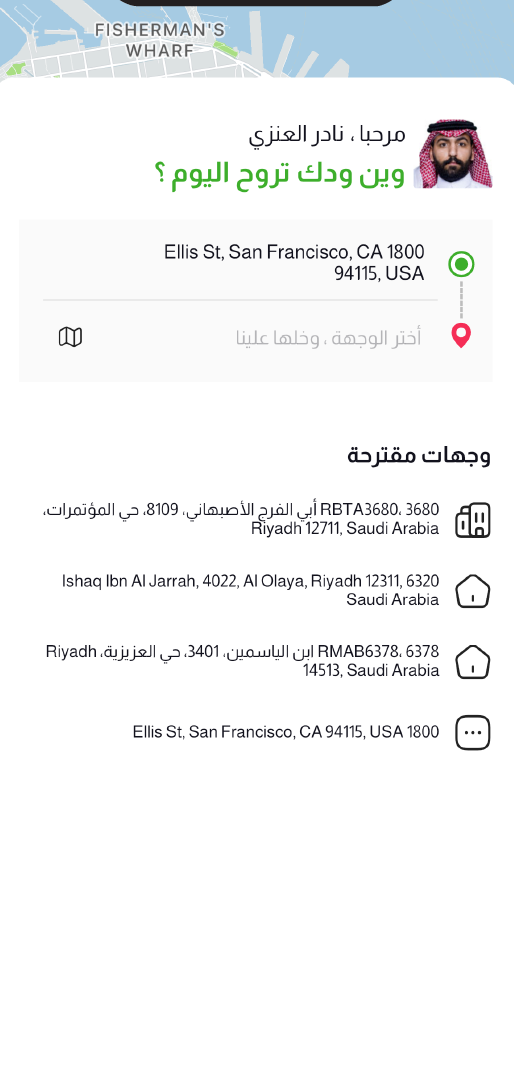
Saved Destinations
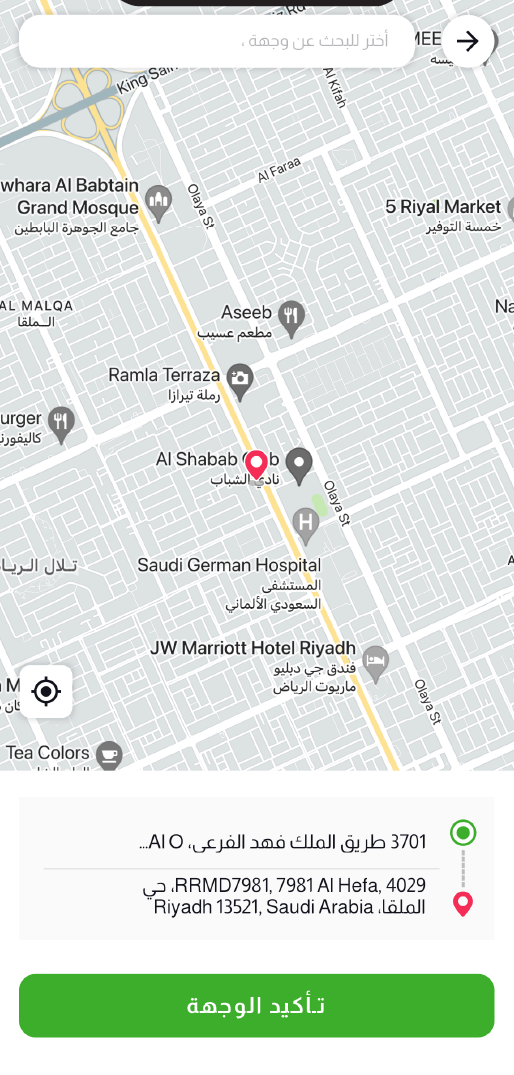
Destination Search
| # | Screen |
|---|---|
| 1 | Home Map |
| 2 | Saved Destinations |
| 3 | Destination Search |
Ride Booking & Driver Matching
After confirming the destination, users select a ride type (economy, 3Minute standard, VIP, or ladies-only) with transparent pricing in SAR. A scanning animation searches for nearby drivers. Once matched, the driver’s full profile appears — name, star rating, car model, plate number, and live ETA on the map.
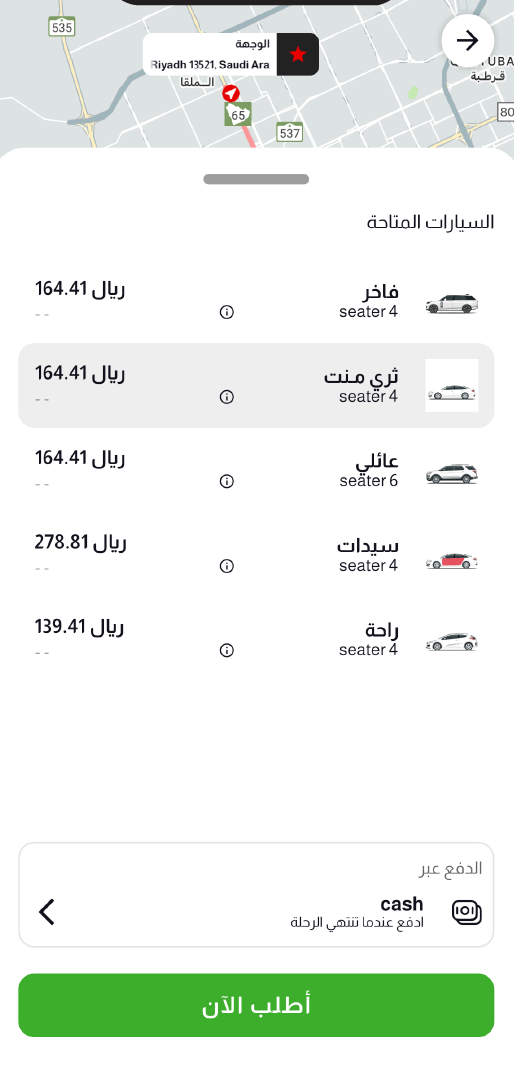
Ride Type Selection
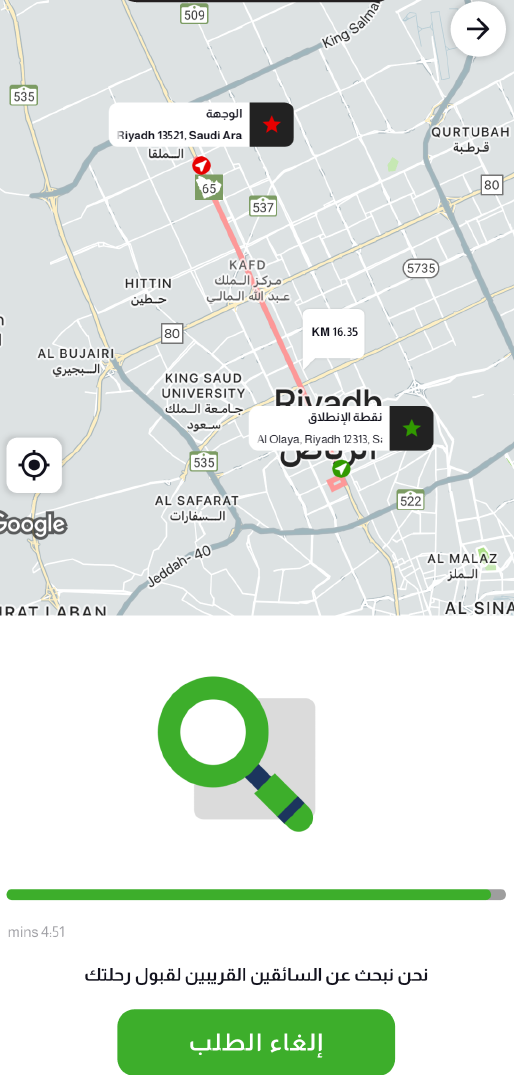
Finding Driver
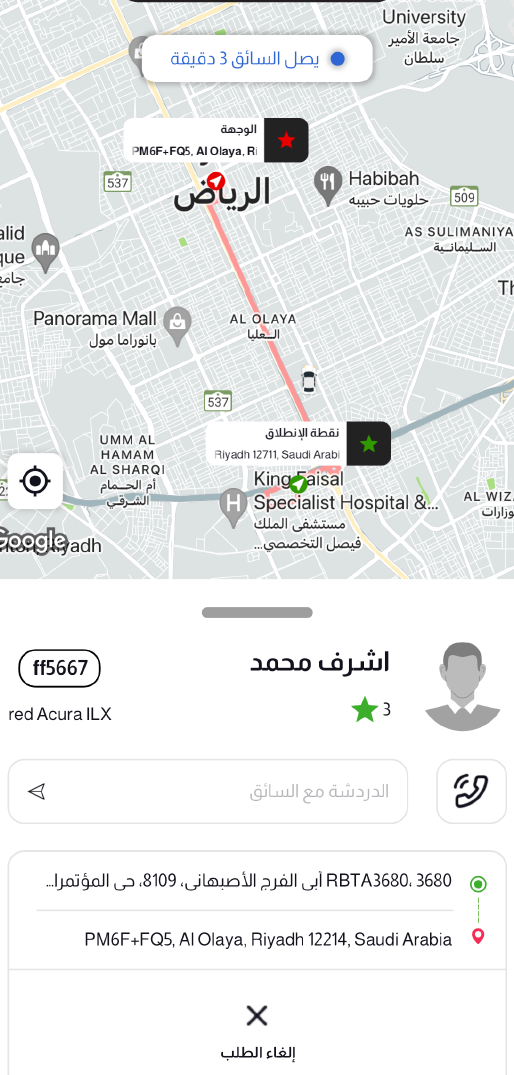
Driver Matched
| # | Screen |
|---|---|
| 1 | Ride Type Selection |
| 2 | Finding Driver |
| 3 | Driver Matched |
Live Tracking & Trip
Real-time GPS tracking shows the driver’s route to pickup and then to the destination. An SOS button is available for emergencies. The arrival ETA badge updates live. At trip end, a detailed summary shows base fare, distance, waiting time, taxes, and total cost in SAR with a cash payment option.
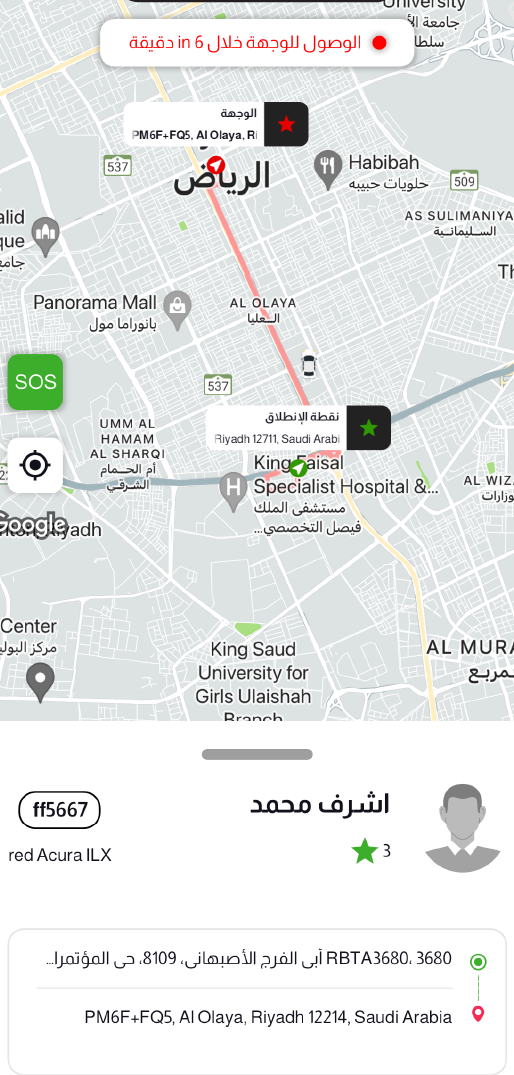
Live Tracking
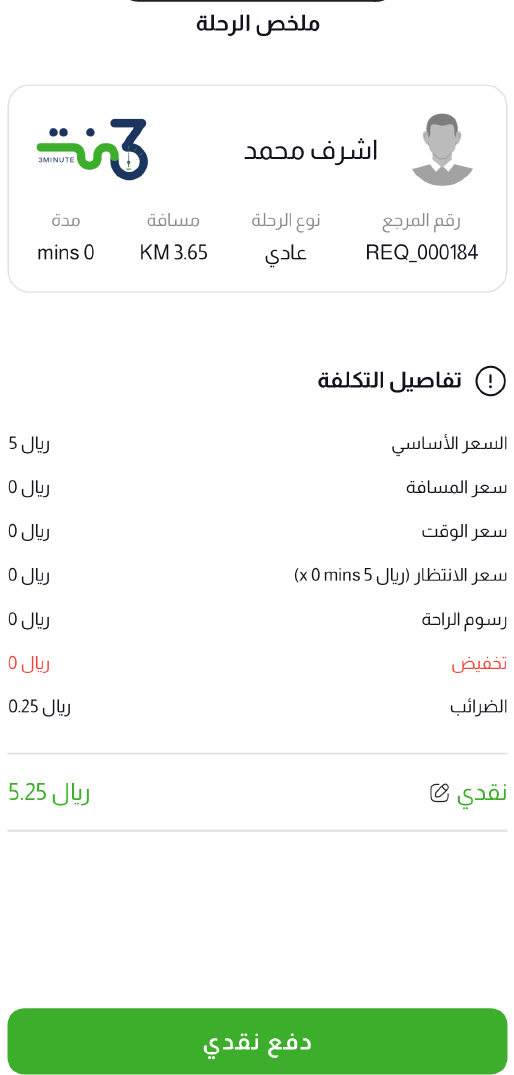
Trip Summary & Fare
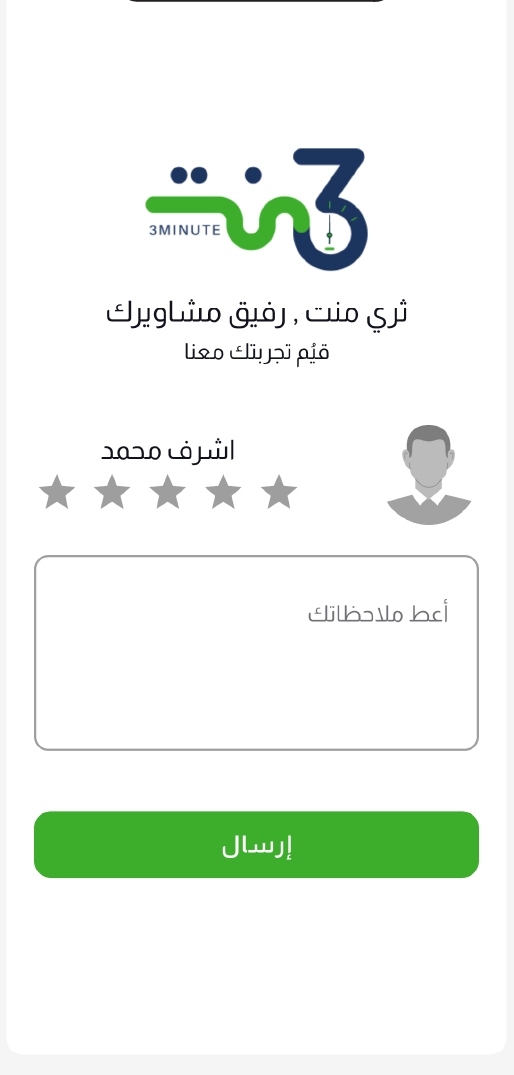
Driver Rating
| # | Screen |
|---|---|
| 1 | Live Tracking |
| 2 | Trip Summary & Fare |
| 3 | Driver Rating |
Notifications & Trip History
The notifications center displays ride alerts with timestamps. An illustrated empty state appears when there are no new notifications. The trip history screen logs all completed rides with request ID, driver name, fare, route details, and dates — with tabs for completed and cancelled trips.
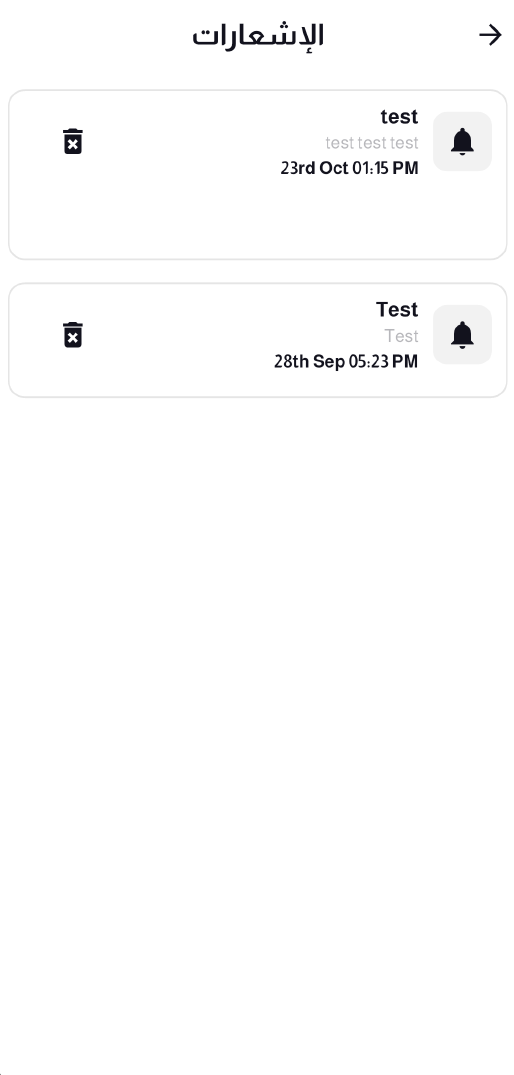
Notifications

Empty Notifications
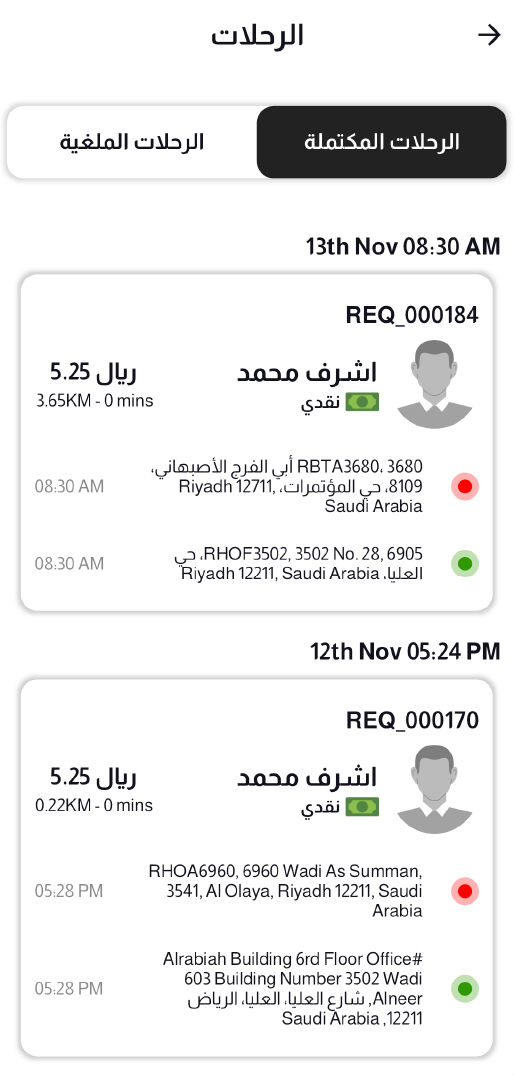
Trip History
| # | Screen |
|---|---|
| 1 | Notifications |
| 2 | Empty Notifications |
| 3 | Trip History |
Wallet & Referral
The digital wallet shows the current balance in SAR with a full transaction log of trip spending. Users can add funds to their wallet. A referral program lets users invite friends with a unique code and earn 30 SAR per successful referral.
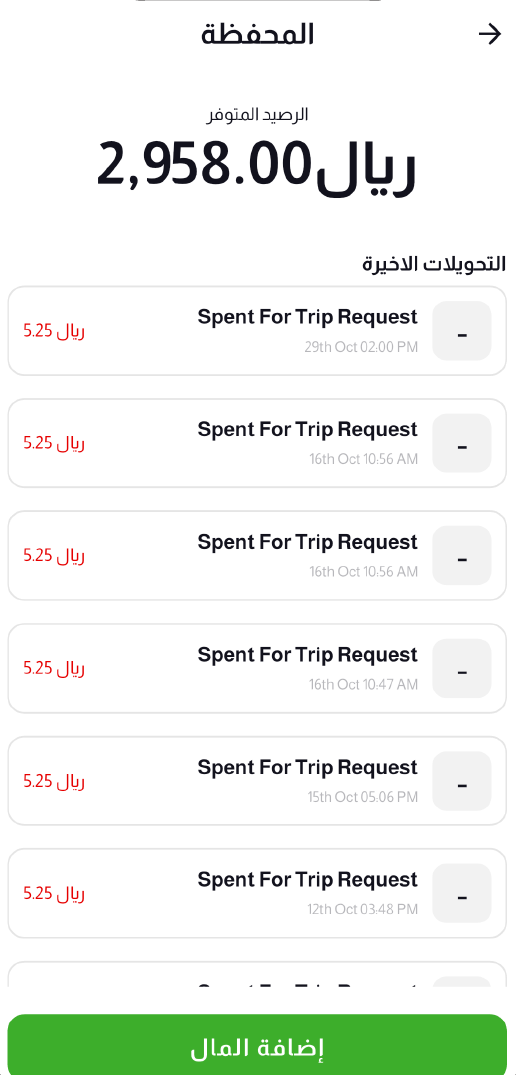
Wallet Balance
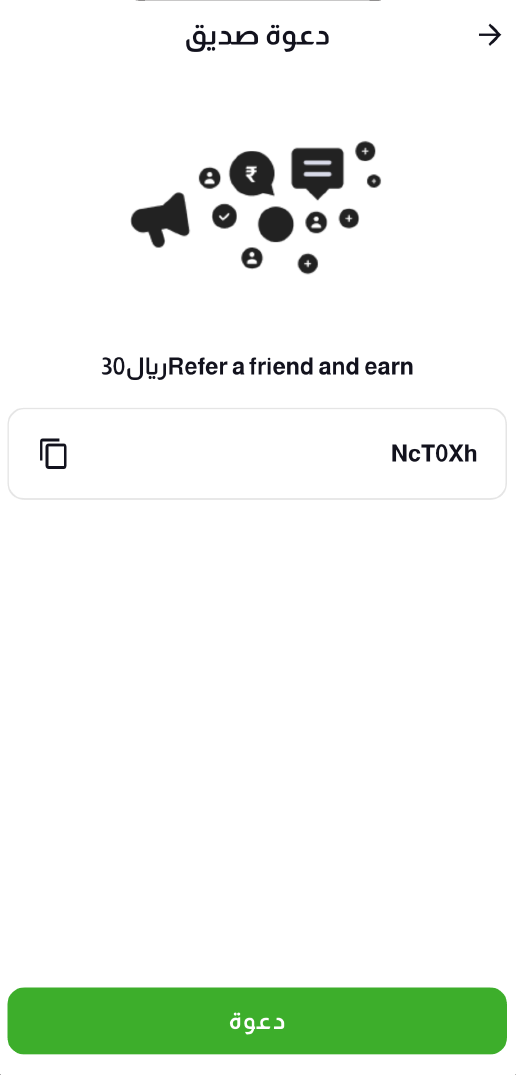
Refer a Friend
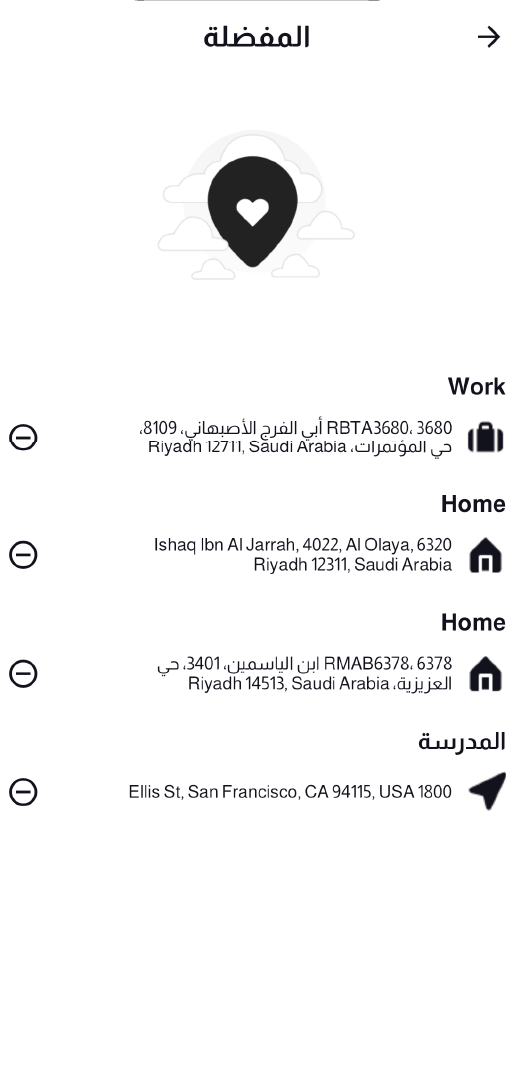
Saved Addresses
| # | Screen |
|---|---|
| 1 | Wallet Balance |
| 2 | Refer a Friend |
| 3 | Saved Addresses |
Profile & Settings
The side drawer menu provides quick access to all app sections — notifications, trips, wallet, favorites, language, about, and support. Users edit their profile with photo upload, name, email, and phone. The About page links to terms & conditions, privacy policy, and company info. Made with love in Jeddah.
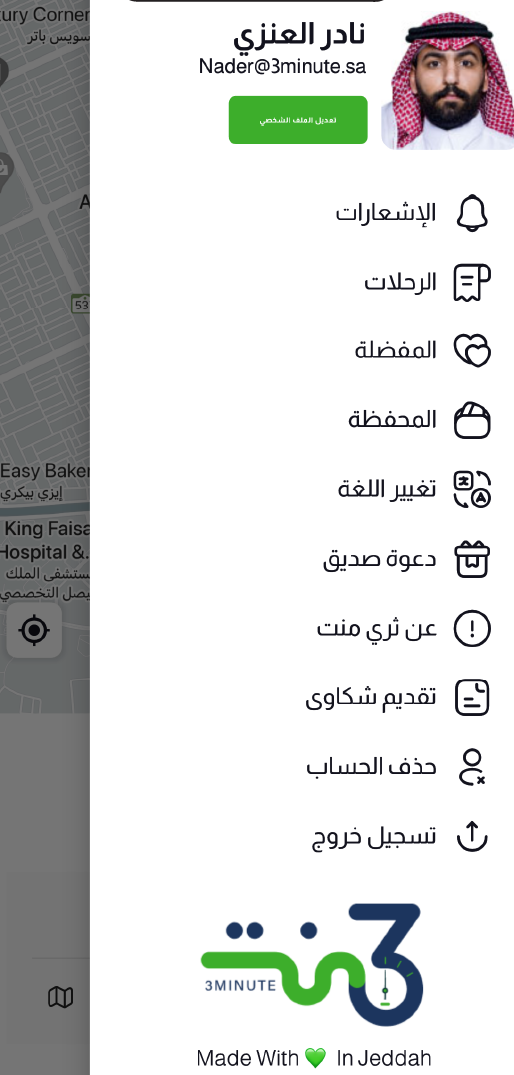
Side Menu
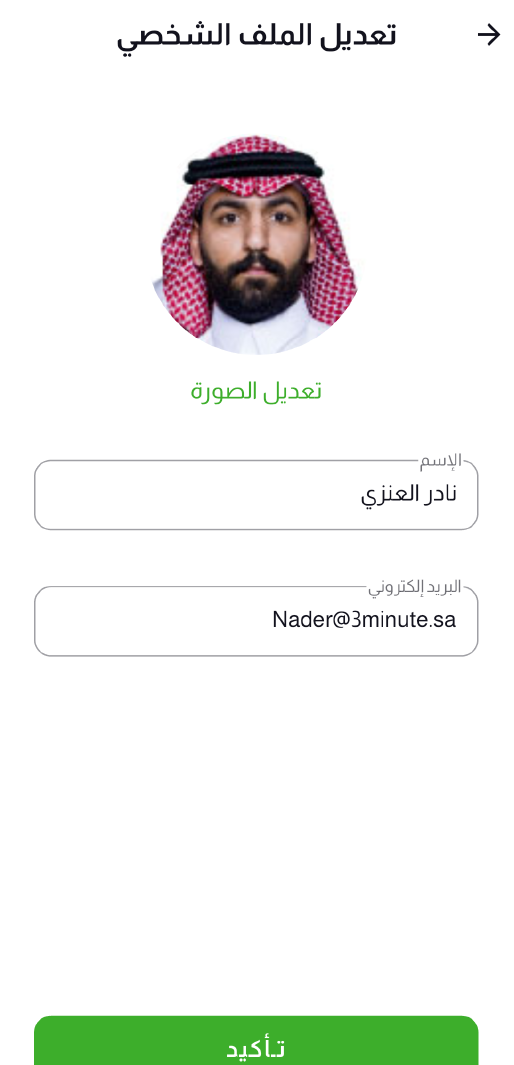
Edit Profile

About
| # | Screen |
|---|---|
| 1 | Side Menu |
| 2 | Edit Profile |
| 3 | About |